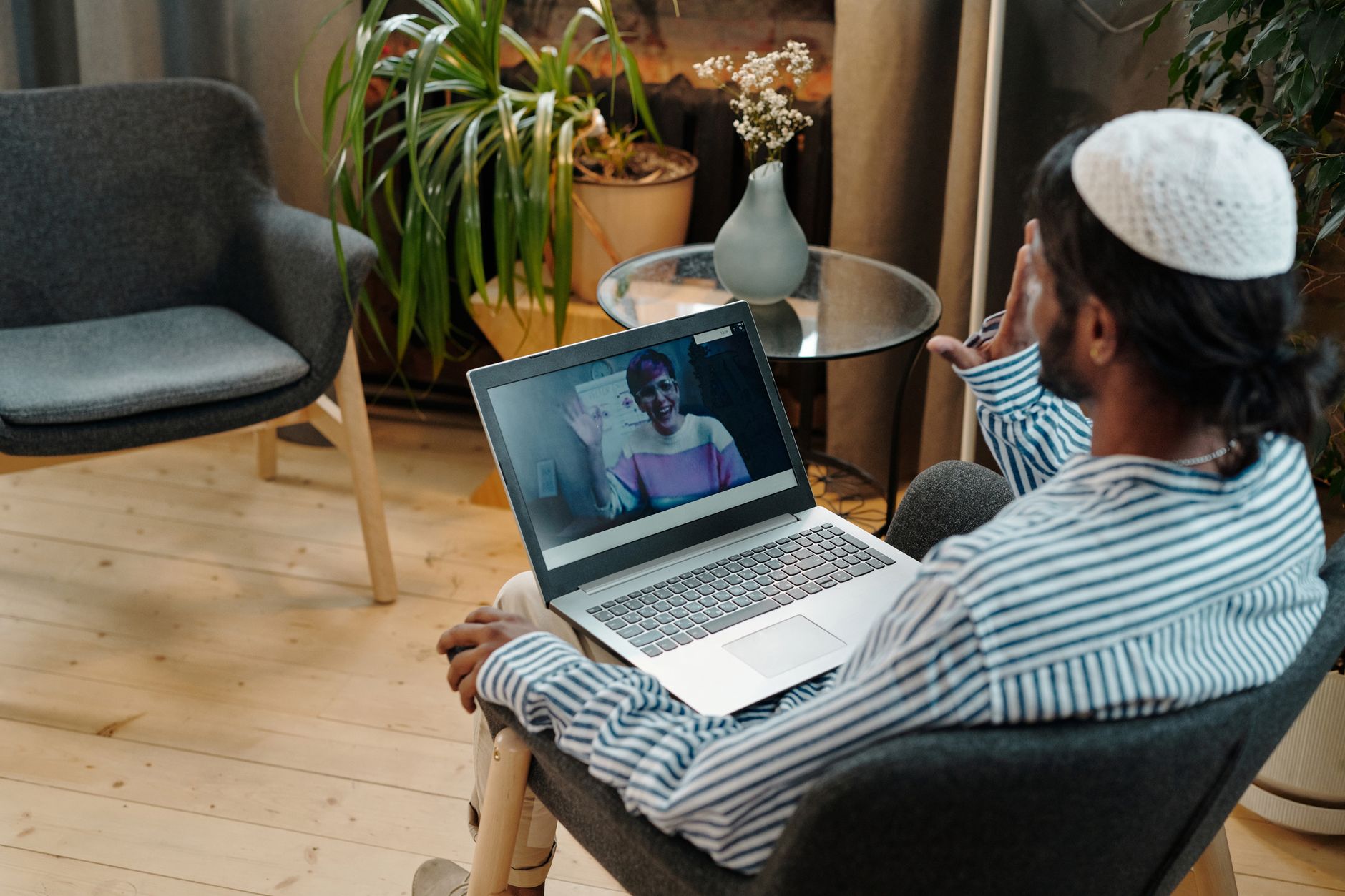
How to improve your chat video quality for better engagement
improve chat video quality

How to improve your chat video quality for better engagement

Transform your virtual interactions with clear, professional video, fostering deeper connections and effective communication.

Start Enhancing Now

Key Takeaways

  • ✓ Good video quality enhances trust and professionalism, crucial for fundraising and outreach.
  • ✓ Proper lighting is the single most impactful, yet often overlooked, factor in video quality.
  • ✓ Stable internet connection is fundamental; wired connections are always superior to Wi-Fi.
  • ✓ High-quality external webcams and microphones significantly outperform built-in devices.
  • ✓ Background management and camera positioning contribute greatly to a professional appearance.

How It Works

1
Assess Your Current Setup

Identify weaknesses in your existing equipment and environment. Understand what specific aspects of your video quality need improvement.

2
Optimize Lighting & Environment

Implement strategic lighting and declutter your background. These visual improvements instantly elevate your professional appearance on camera.

3
Upgrade Hardware & Connectivity

Invest in better webcams, microphones, and ensure a robust internet connection. Superior equipment directly translates to superior audio and video clarity.

4
Master Software Settings & Etiquette

Adjust your video conferencing platform settings and practice good virtual meeting etiquette. Fine-tuning software and personal presentation completes the professional package.

The Foundation: Lighting and Environment for Better Video

For any nonprofit looking to maximize its impact through virtual engagement, understanding how to improve your chat video quality starts with the basics: lighting and environment. These two factors, often underestimated, can drastically elevate or diminish the perceived professionalism and clarity of your video calls, whether it's a donor meeting, a volunteer orientation, or a community outreach event. Poor lighting can make faces appear shadowy, grainy, or washed out, while a cluttered or distracting background detracts from your message and professionalism. Firstly, natural light is your best friend. Position yourself facing a window if possible, allowing soft, even light to illuminate your face. Avoid having a window directly behind you, as this will backlight you and turn you into a silhouette. If natural light isn't available or sufficient, invest in a simple ring light or a softbox light. These provide consistent, flattering illumination that eliminates harsh shadows and brightens your features. A good rule of thumb is to have the light source slightly above eye level and directly in front of you, or slightly off to the side. Experiment with its distance to find the sweet spot that brightens your face without causing glare or overexposure. Even a desk lamp with a diffused light source can be a significant upgrade from relying solely on overhead room lighting, which often casts unflattering shadows. Secondly, your background speaks volumes. For a nonprofit, a professional, uncluttered background reinforces your organization's credibility and focus. A plain wall, a neatly organized bookshelf, or a subtle branded backdrop are ideal. Avoid busy patterns, personal items that might be distracting, or anything that could be perceived as unprofessional. Think about what message your background conveys. Is it clean, organized, and reflective of your organization's values? If you're working from home, ensure that family members or pets won't unexpectedly enter the frame. Many video conferencing platforms offer virtual backgrounds, but use these judiciously. While they can hide a messy room, poorly implemented virtual backgrounds can look pixelated or glitchy, especially with movement, which can be more distracting than a simple, clean real background. If using a virtual background, ensure you have good lighting and a solid, contrasting color behind you (like a green screen) for the best effect. Ultimately, a well-lit, thoughtfully composed background ensures that the focus remains on you and your message, allowing your audience to engage without visual distractions. For more tips on setting up your workspace, check out this guide on optimizing your home office for virtual meetings. These foundational steps are crucial for making a strong first impression and maintaining a high standard of communication in all your virtual endeavors.

Elevating Your Audio and Visual Hardware

Beyond lighting, significant improvements in how to improve your chat video quality come from upgrading your audio and visual hardware. While built-in laptop webcams and microphones are convenient, they often fall short in delivering the professional-grade quality that nonprofits need for impactful virtual interactions. Investing in external devices can dramatically enhance your clarity, making your message more compelling and your organization appear more sophisticated and capable. Starting with the visual, an external webcam is a game-changer. Most built-in cameras offer limited resolution and poor low-light performance. A dedicated 1080p or even 4K webcam provides a sharper, more detailed image, better color reproduction, and often superior low-light capabilities. Brands like Logitech, Razer, and Anker offer excellent webcams across various price points, many of which include autofocus and automatic light correction features. When choosing a webcam, consider its field of view (how wide an area it captures); a wider field of view might be suitable for group discussions, while a narrower one is better for individual presentations. Ensure the webcam is positioned at eye level or slightly above, as this creates a more natural and engaging perspective, making you appear more approachable and direct. Stacking books under your laptop or using a monitor stand can help achieve this if you're not using an external monitor. Equally, if not more, important is audio quality. A crisp, clear voice ensures your message is heard and understood without effort, reducing listener fatigue and misunderstandings. Built-in microphones often pick up significant background noise, echo, and can sound muffled or distant. An external microphone, even a relatively inexpensive one, can make a world of difference. USB microphones, such as those from Blue Yeti or Rode, are popular choices for their ease of use and excellent sound quality. For more mobility, a lavalier (lapel) microphone can clip onto your clothing, providing consistent audio no matter how you move. If you're often in noisy environments, consider a headset with a noise-canceling microphone. When using an external microphone, ensure it's positioned correctly – typically 6-12 inches from your mouth – and speak clearly and at a moderate pace. Test your audio before every important call to check for background noise, echo, or volume issues. Remember, viewers are often more forgiving of slightly less-than-perfect video than they are of poor audio. If they can't hear you clearly, they can't engage with your cause. Investing in quality audio and video hardware demonstrates your commitment to effective communication, enhancing your nonprofit's image and fostering stronger connections with your audience.

Our partners at monkey-app.net offer related services.

Optimizing Connectivity and Software Settings for Flawless Calls

Having the best lighting and top-tier hardware won't matter if your internet connection is unreliable or your software settings are misconfigured. Mastering these technical aspects is paramount for how to improve your chat video quality consistently, ensuring smooth, uninterrupted, and high-definition virtual engagements for your nonprofit. A stable and fast internet connection is the backbone of any successful video call, while optimizing software settings can fine-tune your performance and presentation. First, let's address internet connectivity. Wherever possible, use a wired Ethernet connection instead of Wi-Fi. Ethernet provides a more stable, faster, and less prone-to-interference connection, which is crucial for high-quality video and audio streaming. If a wired connection isn't feasible, ensure your Wi-Fi router is centrally located, updated with the latest firmware, and operating on the 5GHz band if your devices support it, as this band offers faster speeds over shorter distances with less interference. Minimize other internet usage during important calls; ask household members to refrain from streaming, gaming, or large downloads. Test your internet speed regularly using online tools (e.g., Speedtest.net) to ensure you meet the recommended bandwidth for your video conferencing platform (typically 1.5-3 Mbps upload/download for HD video). If your internet speed is consistently low, consider upgrading your internet plan or contacting your provider for troubleshooting. Remember, even with excellent equipment, a weak internet connection will result in choppy video, pixelation, and dropped audio. Next, delve into your video conferencing software settings. Each platform (Zoom, Google Meet, Microsoft Teams, etc.) offers various options that can impact video quality. Check your video settings to ensure you're transmitting at the highest possible resolution your internet and hardware can support, often 720p or 1080p. Look for options related to 'HD video' or 'original ratio.' Many platforms also have settings for 'touch up my appearance' or 'low light adjustment' which can subtly enhance your visual presence. While these can be helpful, overuse can make you look unnatural. Pay attention to your audio input and output settings; ensure your external microphone and speakers/headphones are selected as the default devices, not your computer's built-in ones. Test these settings before every call. Additionally, familiarize yourself with noise suppression features within the software, which can help filter out background noise from your microphone. However, be cautious, as aggressive noise suppression can sometimes distort your voice. For a deep dive into specific platform settings, refer to this guide on maximizing your virtual meeting platform features. By meticulously managing your connectivity and software configurations, you can create a seamless and professional virtual experience, allowing your nonprofit's mission to shine through without technical hindrances.

Essential Tips and Common Mistakes to Avoid for Crystal-Clear Video

Achieving superior chat video quality for your nonprofit isn't just about hardware and connectivity; it also involves thoughtful practice and avoiding common pitfalls. By integrating these essential tips and being aware of frequent mistakes, you can consistently present a polished, professional image that strengthens your organization's virtual presence. **Essential Tips for Crystal-Clear Video:** * **Maintain Eye Contact (Effectively):** Look directly into your webcam, not at your screen. This simulates eye contact and makes you appear more engaged and trustworthy. If you have an external monitor, try to place your webcam as close to the top of your main screen as possible. * **Frame Yourself Properly:** Position yourself in the center of the frame, with your head and shoulders visible and a bit of headroom above your head. Avoid being too close or too far from the camera. * **Use Headphones:** This significantly improves audio quality by preventing echo and feedback loops, and allows you to hear others more clearly without distracting background noise. * **Close Unnecessary Applications:** Free up your computer's processing power and internet bandwidth by closing any applications not essential for your call. This can prevent lag and improve overall performance. * **Do a Pre-Call Check:** Before every important meeting, take 5-10 minutes to test your camera, microphone, lighting, and internet connection. A quick check can prevent embarrassing technical glitches. * **Stay Hydrated and Speak Clearly:** Physical comfort and clear articulation contribute to a better audio experience for your audience. **Common Mistakes to Avoid:** * **Ignoring Background Noise:** Even if you have a good microphone, ambient sounds like a buzzing refrigerator, street noise, or a barking dog can be highly distracting. Try to find a quiet space. * **Backlighting Yourself:** As mentioned before, having a bright window behind you will make you appear dark and indistinguishable. Always face your light source. * **Camera Angle from Below:** Positioning your camera below eye level can create unflattering angles, often emphasizing your chin and nostrils. Always aim for eye level or slightly above. * **Cluttered or Distracting Backgrounds:** A messy room or overly personal items can divert attention from your message and diminish your professionalism. Keep it clean and simple. * **Forgetting to Mute When Not Speaking:** This is basic video call etiquette but often overlooked. Unmuted microphones can pick up unexpected noises and disrupt the flow of conversation. * **Wearing Busy Patterns:** Certain clothing patterns, like thin stripes or complex checks, can create a distracting moiré effect on camera. Opt for solid colors or subtle patterns. By diligently applying these tips and consciously avoiding these common errors, your nonprofit can consistently present itself with the highest level of professionalism and clarity in all virtual interactions. This attention to detail will not only improve your chat video quality but also enhance your credibility and effectiveness in achieving your mission.

Comparison

FeatureBest OptionAlternative 1 (Mid-Range)Alternative 2 (Budget-Friendly)
WebcamLogitech Brio (4K)Logitech C920S (1080p)Anker PowerConf C200 (2K)
MicrophoneRode NT-USB MiniBlue Yeti USB MicrophoneFifine K669B USB Microphone
LightingLarge Ring Light (18-inch)Small Ring Light (10-inch)Desk Lamp with Diffuser
Internet ConnectionWired Ethernet (Fiber)5GHz Wi-Fi (Cable)2.4GHz Wi-Fi (DSL)
Software Features (Noise Reduction)✓ (Advanced)✓ (Standard)✓ (Basic)

What Readers Say

"Following these guidelines on how to improve our chat video quality transformed our virtual donor presentations. We've seen a noticeable increase in engagement and confidence from our team. Highly recommend!"

Sarah Chen · Seattle, WA

"The advice on lighting and external microphones made a huge difference for our remote volunteer training sessions. Our volunteers now feel more connected and the instructions are much clearer."

David Rodriguez · Austin, TX

"We implemented the internet connectivity tips, switching to wired connections, and our weekly team meetings are now entirely free of lag. It's saved us so much time and frustration, directly improving our chat video quality."

Emily White · Boston, MA

"While we couldn't afford all the top-tier hardware, the budget-friendly options and the emphasis on lighting and background still significantly boosted our video quality. Our community outreach calls look much more professional now."

Mark Johnson · Denver, CO

"As a small nonprofit, every impression counts. Applying these strategies to improve our chat video quality for grant interviews has given us an edge, projecting competence and seriousness even in a virtual setting."

Jessica Lee · Miami, FL

Frequently Asked Questions

What is the single most important factor to improve chat video quality?

While many factors contribute, proper lighting is arguably the most impactful and often easiest to control. Adequate, even illumination on your face can instantly make your video clearer, reduce graininess, and enhance your overall appearance, even with basic equipment.

Is it worth investing in an external webcam and microphone for a nonprofit?

Absolutely. For nonprofits that rely on virtual communication for fundraising, volunteer coordination, or community engagement, the perceived professionalism and clarity gained from external hardware far outweigh the cost. It enhances credibility and ensures your message is delivered effectively.

How can I check my internet speed to ensure good video quality?

You can use free online speed test websites like Speedtest.net or Fast.com. Aim for at least 1.5-3 Mbps upload and download speed for standard HD video calls. For higher quality or multiple participants, more bandwidth is recommended.

What's the ideal budget for improving video call quality for a small nonprofit?

You can make significant improvements for under $200. A good external webcam (e.g., Logitech C920S) is around $70-100, a decent USB microphone (e.g., Blue Yeti Nano or Fifine K669B) is $50-70, and a basic ring light or desk lamp is $20-40. Focus on audio first, then video.

Are virtual backgrounds a good solution for improving my video quality?

Virtual backgrounds can hide distracting environments, but they don't inherently improve video quality. If used, ensure you have good lighting and a solid, contrasting background (like a green screen) for the best effect. Poorly rendered virtual backgrounds can be more distracting than a simple, clean real background.

Who should prioritize improving their chat video quality within a nonprofit?

Anyone representing the nonprofit in external-facing roles, such as executive directors, development officers, program managers, and key spokespeople, should prioritize this. Internally, team leads and anyone regularly conducting virtual meetings will also benefit from clearer communication.

Can poor video quality affect my nonprofit's fundraising efforts?

Yes. Poor video quality can project an image of unprofessionalism or lack of attention to detail, which can subtly erode trust and confidence among potential donors. Clear, professional video demonstrates competence and respect for your audience's time, making your pitches more compelling.

What emerging technologies might further enhance virtual meeting quality?

Advancements in AI-powered noise cancellation, dynamic lighting adjustments, and improved camera sensors are continuously being integrated into software and hardware. Furthermore, immersive VR/AR meeting spaces are on the horizon, promising even more engaging and realistic virtual interactions.

Elevate your nonprofit's virtual presence today. By understanding how to improve your chat video quality, you can foster clearer communication, build stronger connections, and amplify your mission's impact in every online interaction. Start implementing these strategies and watch your engagement soar.

Topics: improve chat video qualitynonprofit video callsvirtual engagement tipsvideo conferencing best practicesonline meeting quality
Leo List
Brampton weed
Adultwork